

See how it works, with a live execution simulation, on the Hyperdash advanced trading page: conditional market and conditional limit.
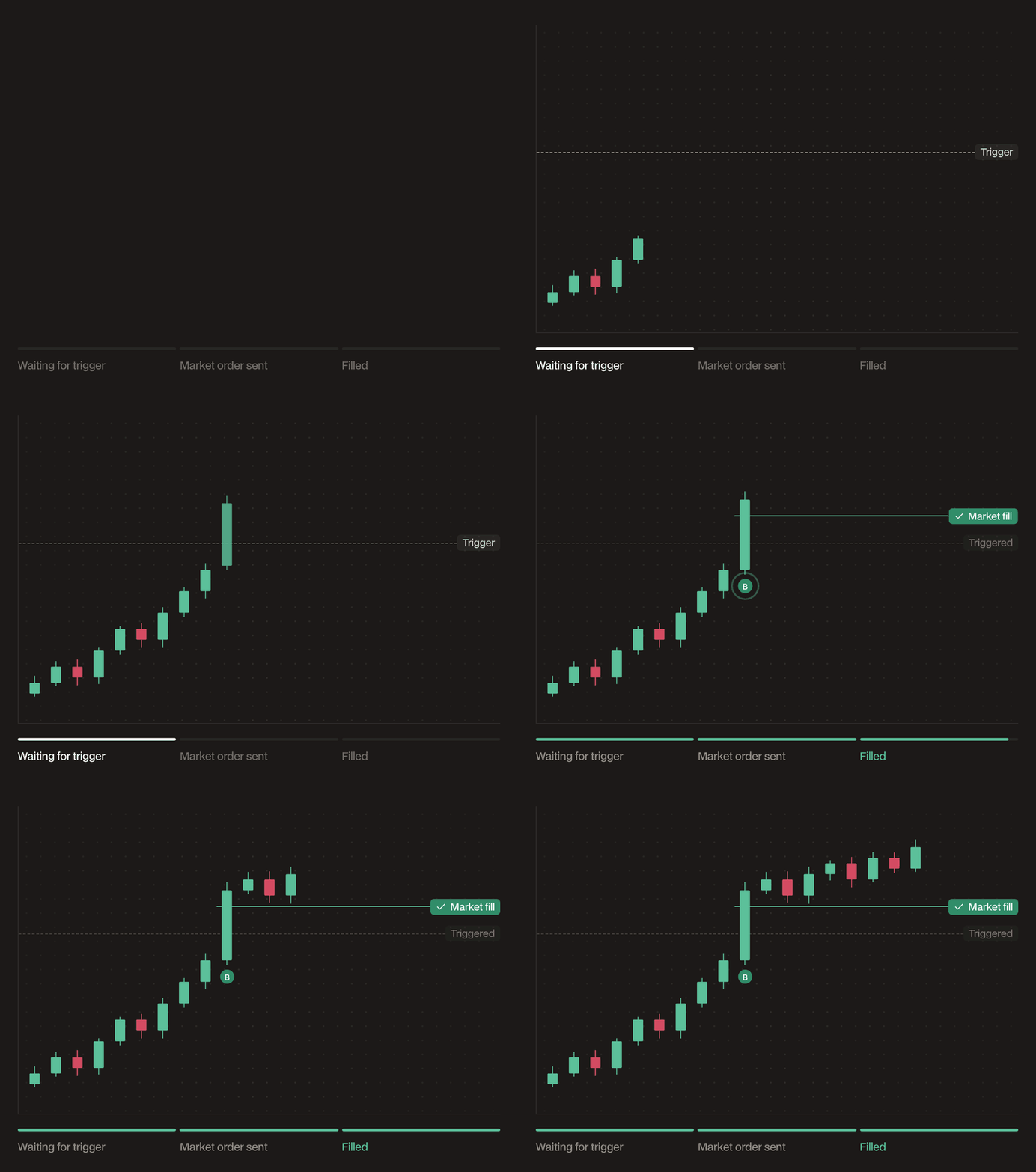
Stop Market
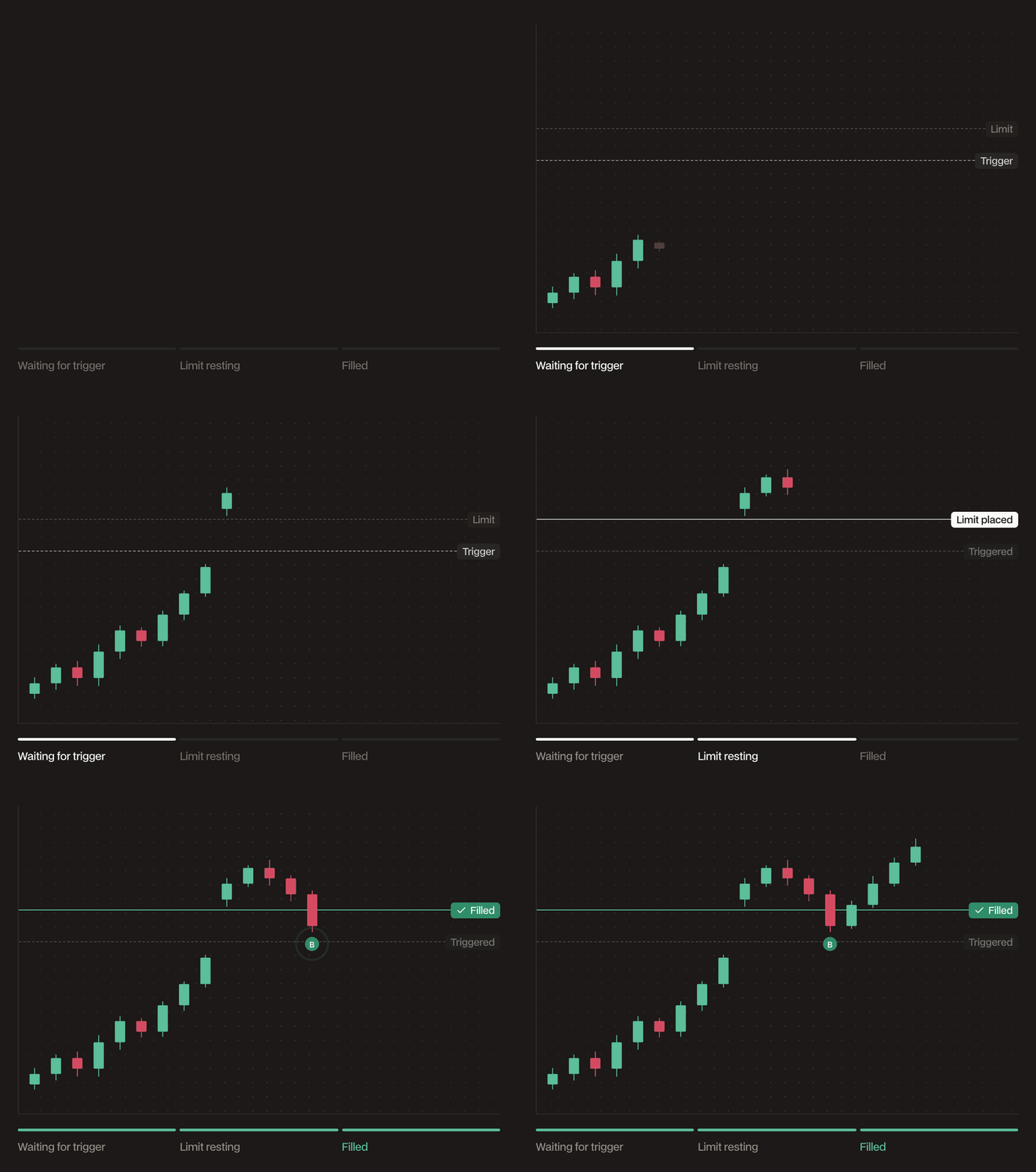
Stop Limit
How it places orders
- No trade executes at submission. The order waits until the asset price reaches your stop price.
- The stop price sits on the breakout side of the current price: above it for buys, below it for sells. The form warns you if it does not.
- With Stealth on (the default), Hyperdash infrastructure watches the top of the book and places the order only once triggered, keeping your level hidden until then. With Stealth off, the stop is placed publicly on-chain as a trigger order the moment you submit it.
- Market: at trigger, a market order for the full size executes immediately, taking liquidity at the best available prices until filled, bounded by an 8% slippage cap. The fill price is not guaranteed, and in fast or thin markets the average fill can be worse than your stop price.
- Limit: at trigger, a limit order at your limit price is sent to the book and fills at that price or better. If price gaps through your limit, the order rests unfilled until price trades back or you cancel it. Hyperdash does not reprice or cancel it for you.
- While a Stealth order is still waiting, you can edit its size, stop price and limit price. Once it triggers, it can no longer be edited.
When to use it
- Trade breakouts: buy above resistance or sell below support, only once the level actually breaks.
- Protect a position with a hard exit at a defined level. Enable Reduce Only so the order can only close your position.
- Choose Market when missing the move costs more than a few ticks of slippage, and Limit when your worst acceptable price matters more than certainty of the fill.
Parameters
Examples
Conditional limit. BTC trades at $117,400 and you want to buy a breakout above $120,000 without paying up. You set stop $120,000, limit $120,250, size 0.5 BTC. When BTC hits $120,000, a limit buy at $120,250 is placed and fills at that price or better. If BTC gaps straight to $120,600, the order rests at $120,250 unfilled. Conditional market. You are long 400 HYPE from $41.00 and want a hard exit below support at $42.50. You set Order Type to Market, stop $42.00, size 400 HYPE, Reduce Only on. If HYPE trades down to $42.00, the position closes at market immediately, for example at an average of $41.96 in a normal book.Market guarantees the exit, not the price. Limit guarantees the price, not the exit. Size the gap between your stop and your limit for the market’s volatility so a fast move cannot jump both.